Setting up Experiments
As mentioned in the Introduction Section, you can select specific workflow configurations using
the x-config-id header. This header allows you to control which configuration version is used for your workflow
execution.
Experiment Configuration
When you have multiple configurations for your workflow, you'll likely want to:
- Assign different configurations to specific user segments
- Run A/B tests to determine the best performing configuration
- Gradually roll out new configurations to users
Integration with Picsart Settings
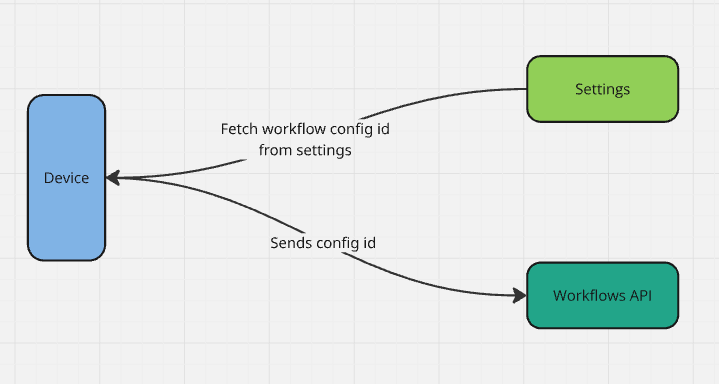
To manage these configurations effectively, you can integrate your workflow configurations with Picsart Settings as shown in below image
Client Library Support
The Pluggable APIs client library provides out of the box support for this integration.
By default, the configuration ID is retrieved from the <workflow-name>_api settings, which must follow the structure
below:
{
  "configId": "<CONFIG_ID>"
}
Check the clients section for more details.